

Introduction
Artificial intelligence tools are becoming part of everyday work, from writing emails to analyzing complex data. Among the growing number of AI assistants, Claude has gained attention for its focus on clarity, safety, and thoughtful responses.
Instead of simply generating quick answers, Claude is designed to handle deeper conversations, longer documents, and more structured tasks. This makes it especially useful for professionals, students, and content creators who need reliable and detailed output.
What is Claude?
Claude is an AI assistant developed by Anthropic, a company focused on building safe and aligned artificial intelligence systems. It belongs to the same category as tools like ChatGPT, but with a slightly different approach.
The tool is designed to understand natural language and generate human-like responses. Users can ask questions, write content, analyze documents, or brainstorm ideas. One of Claude’s key strengths is its ability to process long inputs, which makes it suitable for working with large texts such as reports, articles, or code.
Table of Contents
Key Features
1. Long Context Understanding
Claude can handle large amounts of text in a single prompt. This means you can upload or paste long documents and ask for summaries, insights, or edits without breaking them into smaller parts.
2. Natural and Clear Responses
The tool focuses on producing structured and easy-to-read answers. Instead of short or fragmented replies, Claude often delivers well-organized explanations that feel closer to human writing.
3. Safety-Oriented Design
Anthropic emphasizes responsible AI usage. Claude is designed to avoid harmful or misleading outputs and to provide balanced, cautious responses when dealing with sensitive topics.
4. Versatile Use Cases
Claude can assist with writing, coding, research, and general productivity tasks. It adapts to different contexts, whether you are drafting a blog post or analyzing business data.
5. File and Document Analysis
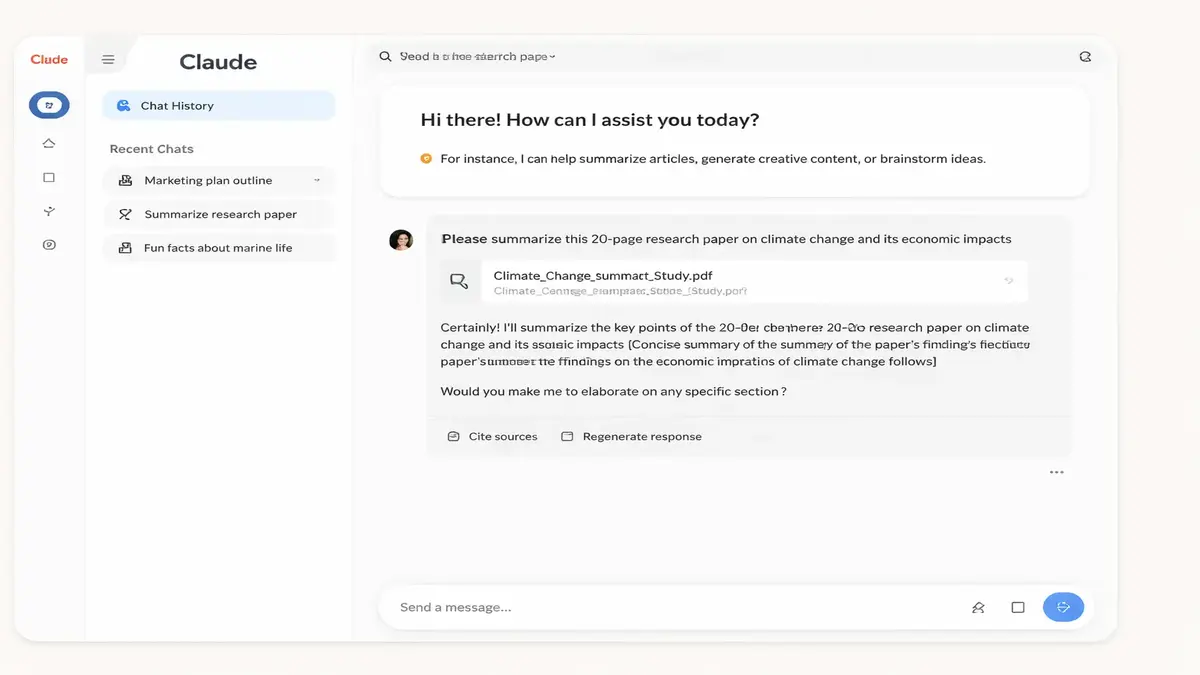
Users can upload documents and interact with them directly. For example, you can ask Claude to summarize a PDF, extract key points, or rewrite sections in simpler language.
How to Use It
Getting started with Claude is straightforward:
Step 1: Access the Platform
Visit the official Claude interface provided by Anthropic and sign in.
Step 2: Enter a Prompt
Type your question or request in plain English. For example:
“Summarize this article” or “Write an introduction about AI tools.”
Step 3: Add Context (Optional)
Paste text or upload a file if you want Claude to analyze specific content.
Step 4: Review the Response
Claude will generate a structured answer. You can refine it by asking follow-up questions.
Step 5: Iterate
Adjust your prompts to improve results. Clear instructions usually lead to better outputs.
Real Use Cases
1. Blogging and Content Creation
Writers can use Claude to generate outlines, draft articles, or rewrite content for clarity. For example, a blogger can turn rough notes into a structured post within minutes.
2. Business and Professional Work
Professionals use Claude to summarize reports, draft emails, and create presentations. It can also help analyze documents and highlight key insights.
3. Student Productivity
Students can simplify complex topics, generate study notes, or get explanations for difficult concepts. Claude’s detailed responses are especially useful for learning.
4. Coding Assistance
Developers can ask Claude to explain code, debug errors, or suggest improvements. While it is not a replacement for a full development environment, it can speed up problem-solving.
5. Research and Analysis
Claude can process long articles or datasets and provide summaries, comparisons, or key takeaways, saving time during research tasks.
Pros and Cons
Pros
- Handles long documents effectively
- Produces clear and structured responses
- Useful across multiple domains (writing, business, education)
- Focus on safe and responsible AI behavior
Cons
- May sometimes provide overly cautious or vague answers
- Not always as fast for short queries compared to simpler tools
- Requires clear prompts for best results
- Availability and features may vary depending on region and plan
Comparison with Alternatives
Claude is often compared to tools like ChatGPT and other AI assistants.
- Claude vs ChatGPT: Claude is known for handling longer inputs and producing more structured responses, while ChatGPT may feel faster and more flexible for quick tasks.
- Claude vs other AI tools: Many AI tools specialize in specific tasks (like design or coding), while Claude focuses on general-purpose language understanding.
There is no single “best” tool; the choice depends on your needs. For long-form analysis and detailed writing, Claude stands out. For quick answers or integrations, other tools may be more convenient.
You can also explore Perplexity AI to discover another powerful AI assistant for writing, research, and productivity in our article: Perplexity: A Powerful AI Knowledge Tool of 2026
Is It Worth It?
Claude is a practical choice for users who need more than basic AI responses. Its ability to handle long content and generate structured output makes it valuable for writers, professionals, and students.
However, it is not a perfect solution. Like all AI tools, it requires human review and critical thinking. It works best as an assistant rather than a replacement for human expertise.
If your workflow involves reading, writing, analyzing, or even coding with large amounts of information, Claude can save time and improve productivity.
FAQ
1. Is Claude free to use?
Claude typically offers both free and paid access, depending on the platform and usage limits. I cannot confirm the exact pricing structure as it may change.
2. Can Claude replace human writers?
No. Claude can assist with writing, but human editing and judgment are still necessary for quality and accuracy.
3. Is Claude safe to use?
Claude is designed with safety in mind by Anthropic, but users should always review outputs, especially for important or sensitive tasks.
4. What makes Claude different from other AI tools?
Its ability to process long documents and provide structured, thoughtful responses is one of its key differentiators.
5. Can Claude analyze files?
Yes, Claude can analyze uploaded documents and provide summaries or insights, depending on the platform features.
If you’re exploring AI tools for productivity, Claude is worth testing—especially if your work involves deep reading, writing, or analysis.