

Coding Is Changing Faster Than Ever
Writing software used to mean spending hours searching documentation, debugging errors, and manually writing repetitive code. Today, AI coding assistants are transforming that process.
Whether you’re a beginner building your first web app or an experienced developer managing large projects, modern AI tools can help you write code faster, understand complex concepts, and reduce common mistakes.
In 2026, AI coding assistants have become significantly more capable than the early code-completion tools that first appeared a few years ago. They can generate entire functions, explain code in plain language, suggest improvements, and even help developers plan projects.
In this guide, we’ll explore the top AI coding assistants in 2026, compare their strengths and weaknesses, and help you choose the right tool for your workflow.
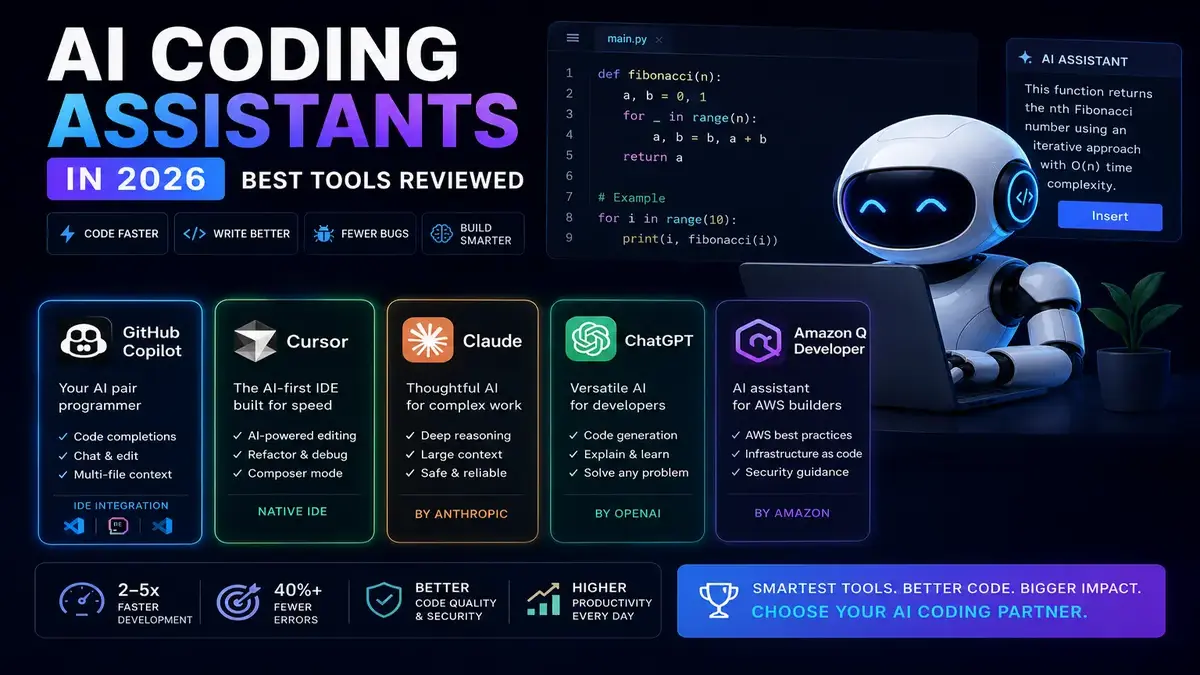
Table of Contents
What Are AI Coding Assistants?
AI coding assistants are software tools powered by large language models and machine learning systems that help developers write, edit, review, and understand code.
These tools can:
- Generate code from natural language prompts
- Explain unfamiliar code snippets
- Detect bugs and suggest fixes
- Create documentation
- Refactor existing code
- Assist with testing and debugging
Rather than replacing developers, these tools are designed to act as intelligent collaborators that speed up routine tasks and improve productivity.
Top AI Coding Assistants in 2026
1. GitHub Copilot
GitHub Copilot remains one of the most widely used AI coding assistants in 2026.
Developed by GitHub and integrated into popular development environments, Copilot has evolved from simple autocomplete functionality into a comprehensive coding companion.
Key Features
- Real-time code suggestions
- Natural language code generation
- Code explanations
- Test generation
- Bug detection assistance
- Integration with Visual Studio Code and other IDEs
Best For
- Individual developers
- Students learning programming
- Teams already using GitHub workflows
Example Use Case
A developer can type:
“Create a Python function that sorts customer orders by date.”
Copilot can generate a working solution instantly, reducing the need to manually search documentation.
Limitations
- Suggestions may occasionally require verification
- Complex business logic still needs human oversight
- Performance can vary depending on project context
2. Cursor
Cursor has emerged as one of the strongest AI-first coding editors available today.
Unlike traditional code editors that add AI features later, Cursor was built around AI from the start.
Why Developers Like Cursor
Cursor provides deep awareness of entire codebases, allowing developers to ask questions about projects and receive contextual answers.
Key Features
- AI-powered code editing
- Project-wide understanding
- Natural language commands
- Codebase chat functionality
- Multi-file editing assistance
Best For
- Full-stack developers
- Startup teams
- Developers working with large codebases
Example Use Case
Instead of searching through dozens of files, a developer can ask:
“Where is user authentication handled in this project?”
Cursor can identify relevant files and explain the architecture.
Limitations
- Advanced features may have a learning curve
- Heavy reliance on AI suggestions can reduce learning opportunities for beginners
3. Claude for Coding
Claude has become increasingly popular among developers because of its ability to understand large amounts of context.
For coding tasks, Claude excels at reasoning through complex problems and explaining solutions clearly.
Key Features
- Long-context understanding
- Detailed code explanations
- Architecture planning
- Documentation generation
- Code review assistance
Best For
- Software architects
- Technical writers
- Developers working on large projects
Example Use Case
A developer can paste multiple files and ask:
“Review this application structure and identify potential performance issues.”
Claude can provide detailed analysis and improvement suggestions.
Limitations
- Not always directly integrated into every development environment
- May generate overly detailed responses for simple tasks
4. ChatGPT for Developers
ChatGPT continues to be a popular coding assistant in 2026 due to its flexibility and broad capabilities.
Developers use it for everything from debugging to learning new programming languages.
Key Features
- Code generation
- Debugging assistance
- Algorithm explanations
- Learning support
- Documentation creation
Best For
- Beginners
- Freelancers
- Developers learning new technologies
Example Use Case
A beginner learning JavaScript can ask:
“Explain promises with simple examples.”
The AI can provide clear explanations and sample code.
Limitations
- May not always have direct access to project files
- Generated code should be reviewed before production use
5. Amazon Q Developer
Amazon Q Developer continues to strengthen its position among enterprise development teams.
Its integration with cloud services makes it especially useful for organizations using AWS infrastructure.
Key Features
- AWS-focused development support
- Cloud architecture assistance
- Security recommendations
- Infrastructure automation helps
Best For
- Cloud engineers
- DevOps teams
- AWS-centric organizations
Example Use Case
An engineer can ask:
“Generate an AWS Lambda function that processes uploaded files.”
The assistant can create code aligned with AWS best practices.
Limitations
- Most valuable within AWS ecosystems
- Less appealing for developers using alternative cloud platforms
Comparing the Best AI Coding Assistants
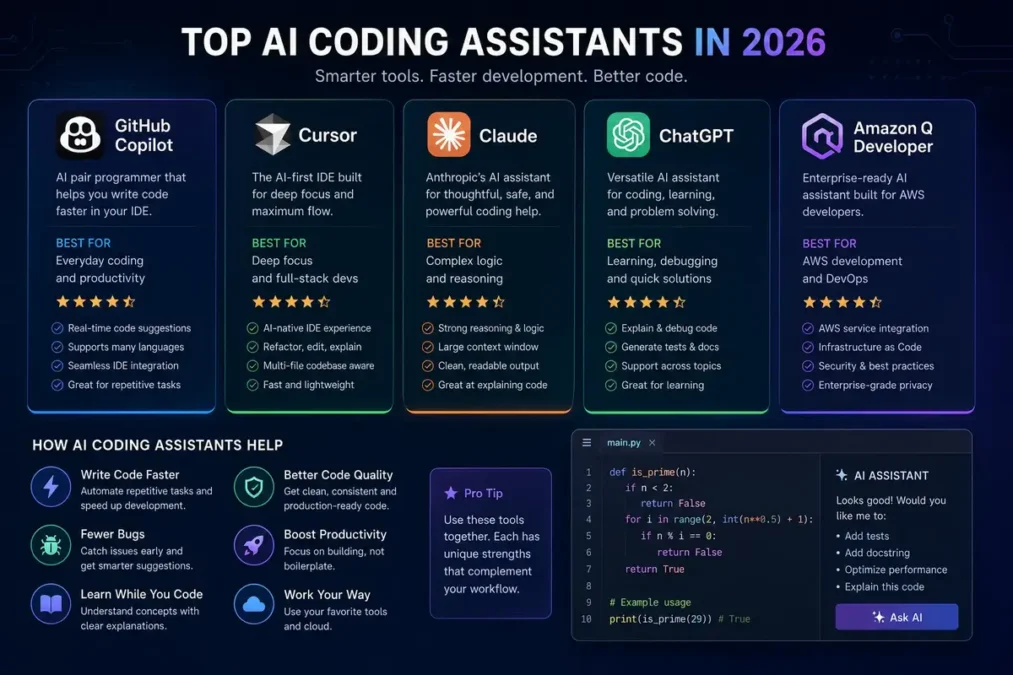
| Tool | Best For | Strength |
|---|---|---|
| GitHub Copilot | Everyday coding | Fast code completion |
| Cursor | Large projects | Codebase understanding |
| Claude | Complex analysis | Deep reasoning |
| ChatGPT | Learning & debugging | Flexibility |
| Amazon Q Developer | Cloud development | AWS integration |
The right choice depends on your goals rather than which tool is considered the most advanced.
Benefits of Using AI Coding Assistants
AI coding tools offer several advantages for developers at different skill levels.
Faster Development
Many repetitive coding tasks can be completed in seconds rather than minutes.
Better Learning Experience
Beginners can receive explanations alongside generated code, making it easier to understand programming concepts.
Improved Productivity
Developers spend less time searching documentation and more time solving real problems.
Easier Debugging
AI assistants can often identify common coding mistakes and suggest practical fixes.
Enhanced Documentation
Generating documentation manually can be time-consuming. AI tools help automate much of the process.
Limitations You Should Know
Despite their impressive capabilities, AI coding assistants are not perfect.
Code Can Contain Errors
Generated code may look correct but still contain bugs or inefficiencies.
Security Risks
Developers should always review AI-generated code for security vulnerabilities before deployment.
Over-Reliance Can Slow Learning
Beginners who depend entirely on AI suggestions may miss opportunities to develop core programming skills.
Context Is Not Always Complete
Even advanced tools can misunderstand project requirements or business logic.
The best results come from treating AI as a helpful assistant rather than a replacement for human judgment.
Best Practices for Using AI Coding Tools
To get the most value from AI coding assistants, consider these recommendations.
Write Clear Prompts
Specific instructions generally produce better results.
Instead of:
“Make this better.”
Try:
“Optimize this Python function for faster execution with large datasets.”
Review Every Suggestion
Always verify generated code before using it in production.
Learn From the Output
Use AI explanations as educational resources rather than simply copying code.
Test Thoroughly
Generated code should undergo the same testing process as manually written code.
Protect Sensitive Data
Avoid sharing confidential information or private credentials with AI tools.
The Future of AI Coding Assistants
The next generation of AI coding assistants is expected to become even more integrated into the software development lifecycle.
Future improvements may include:
- Better project-wide reasoning
- More accurate debugging
- Automated testing workflows
- Enhanced security analysis
- Stronger collaboration features for teams
Rather than replacing software developers, these tools will likely continue to handle repetitive tasks while humans focus on creativity, architecture, and decision-making.
FAQ
1. Which AI coding assistant is best for beginners?
ChatGPT and GitHub Copilot are excellent options for beginners because they provide code explanations alongside suggestions, making learning easier.
2. Is Cursor better than GitHub Copilot?
They serve slightly different purposes. GitHub Copilot excels at quick code generation, while Cursor offers stronger project-wide understanding and AI-first workflows.
3. Can AI coding assistants replace programmers?
No. AI tools can automate many tasks, but developers are still needed for problem-solving, architecture design, testing, and business decision-making.
4. Are AI coding assistants accurate?
They are often helpful but not always correct. Developers should review and test all generated code.
5. Which AI coding assistant is best for large codebases?
Cursor and Claude are particularly strong at understanding larger projects and providing contextual insights across multiple files.
6. Are AI coding tools worth paying for?
For many developers, the productivity gains justify the cost. However, the value depends on how frequently the tools are used and the complexity of projects.
Conclusion
AI coding assistants have become an essential part of modern software development in 2026. Tools like GitHub Copilot, Cursor, Claude, ChatGPT, and Amazon Q Developer each offer unique strengths, from code generation and debugging to project-wide analysis and cloud development support.
For beginners, these tools can accelerate learning and reduce frustration. Experienced developers, they can streamline workflows and eliminate repetitive tasks.
The most effective approach is to view AI coding assistants as productivity enhancers rather than replacements for programming knowledge. Developers who combine strong technical skills with smart AI usage will be well-positioned to build software faster and more efficiently in the years ahead.