
Artificial intelligence is no longer limited to tech experts—it’s now part of everyday tools used by students, creators, and professionals. One of the most widely discussed tools in this space is ChatGPT.
From writing emails to explaining complex topics, ChatGPT has become a practical assistant for millions of users. But what exactly does it do, and is it really useful in daily life? This guide breaks it down in a clear, realistic way so you can decide if it fits your needs.
Table of Contents
What Is ChatGPT?
ChatGPT is an AI-powered chatbot developed by OpenAI. It is designed to understand natural language and generate human-like responses based on user input.
In simple terms, you type a question or request, and the tool responds with text that aims to be helpful, relevant, and easy to understand. It is built using large language models trained on a mixture of licensed data, human-created content, and publicly available information.
Unlike traditional search engines, ChatGPT does not just show links—it generates direct answers, explanations, or content based on your request.
Key Features
1. Natural Language Understanding
ChatGPT can interpret everyday language, including informal questions or incomplete sentences. You don’t need technical knowledge to use it.
2. Content Generation
It can create:
- Blog articles
- Emails
- Social media captions
- Study notes
The responses are structured and readable, making it useful for writing tasks.
3. Conversational Interaction
You can ask follow-up questions, and the tool remembers the context within the conversation. This makes it feel more like a dialogue than a one-time search.
4. Multi-purpose Assistance
It can help with:
- Explaining concepts
- Brainstorming ideas
- Translating text
- Summarizing information
5. Custom Instructions and Tone Control
Users can adjust how responses are written (formal, simple, detailed), which is useful for different audiences.

How to Use It (Step-by-Step Guide)
Step 1: Access the Tool
Go to the official website or app of ChatGPT and sign in.
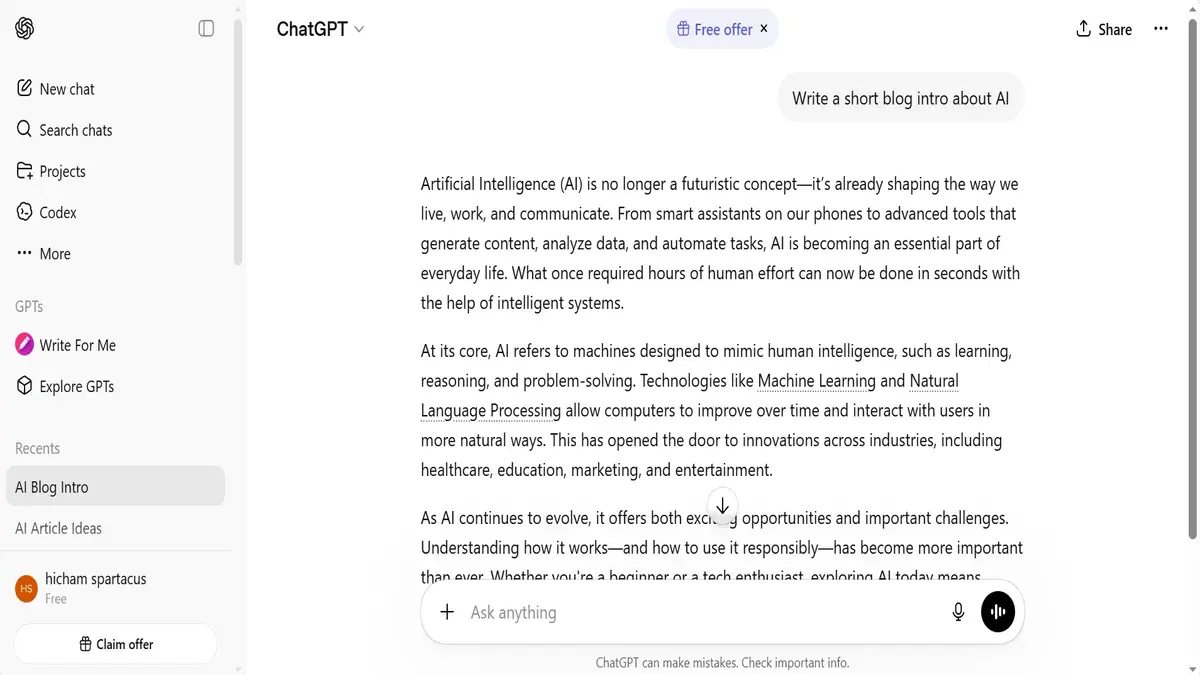
Step 2: Enter Your Prompt
Type a clear request, such as:
- “Write a short email to a client”
- “Explain photosynthesis simply”
Step 3: Review the Response
Read the generated answer carefully. While often useful, it may require adjustments.
Step 4: Refine Your Request
If needed, ask for:
- Simpler explanation
- More details
- Different tone
Step 5: Edit and Use
Copy the output and edit it to match your needs before publishing or sharing.
Real Use Cases
1. Blogging and Content Creation
Writers use ChatGPT to:
- Generate article ideas
- Draft outlines
- Improve readability
Example: A blogger can ask for “10 topic ideas about AI apps” and build content around them.
2. Business and Freelancing
Professionals use it to:
- Write client emails
- Create reports
- Draft marketing content
Example: A freelancer can quickly generate a proposal draft and customize it.
3. Education and Study
Students use ChatGPT to:
- Understand difficult topics
- Summarize lessons
- Practice language skills
Example: Asking for “a simple explanation of gravity” can make learning easier.
4. Productivity and Daily Tasks
It helps with:
- Planning schedules
- Writing to-do lists
- Generating ideas
Example: Creating a weekly productivity plan based on your goals.
Pros and Cons
Pros
- Easy to use with no technical skills required
- Saves time on writing and research tasks
- Useful across multiple fields (education, business, content)
- Provides quick, structured responses
Cons
- May produce inaccurate or outdated information in some cases
- Lacks real-time awareness unless connected to updated sources
- Requires human review before using content publicly
- Not a replacement for expert knowledge in specialized fields
Comparison with Alternatives
ChatGPT is not the only AI tool available. Here are two common alternatives:
Grammarly
- Focus: Grammar correction and writing clarity
- Best for: Editing and improving existing text
- Limitation: Less flexible for generating full content
Notion AI
- Focus: Productivity and note-taking
- Best for: Organizing ideas and documents
- Limitation: Works mainly inside the Notion workspace
Key Difference
ChatGPT is more versatile for general-purpose tasks, while alternatives often specialize in specific areas.
Is It Worth It?
ChatGPT can be a valuable tool if used correctly. It is particularly helpful for:
- Saving time on repetitive writing tasks
- Generating ideas when you feel stuck
- Learning basic concepts quickly
However, it should be seen as an assistant—not a replacement for human judgment. Users still need to verify information and refine outputs.
For most people, especially beginners and content creators, it offers practical benefits without requiring advanced skills.
FAQ
1. Is ChatGPT free to use?
There is usually a free version with basic features, while advanced capabilities may require a paid plan.
2. Can ChatGPT replace human writers?
No. It can assist with writing, but human creativity, accuracy, and context are still essential.
3. Is the information always accurate?
Not always. Users should verify important facts from reliable sources.
4. Can students use ChatGPT for school?
Yes, but it should be used as a learning aid, not for copying assignments without understanding.
5. Does ChatGPT store personal data?
It may process user inputs to improve performance. Avoid sharing sensitive or private information.